Engagements Overview
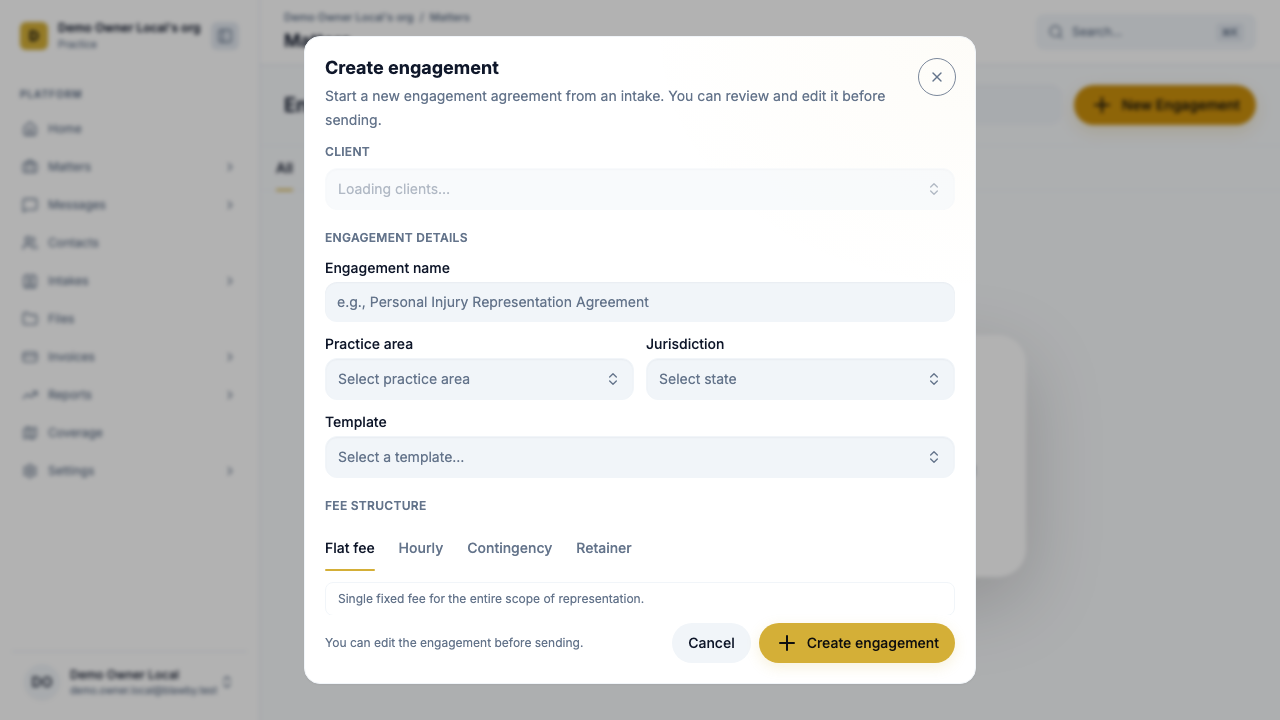
The engagement letter is the moment a qualified intake becomes a real client relationship. Blawby treats it as a structured object — not a free-text PDF — so the scope, fees, and conflict status can be edited, saved, and re-sent without retyping the whole letter.
This page explains the four sections of an engagement, the lifecycle from draft to accepted, and what the client experiences when you send it.
Lifecycle
Draft → Sent → Accepted | Declined
- Draft — internal. Edit freely.
- Sent — the client received a notification with a link to review and sign.
- Accepted — the client has signed. The matter advances to active and any retainer/initial fee can be billed.
- Declined — the client passed. The matter doesn't advance; you can revise and resend or close it out.
The four sections of an engagement
1. Representation
What the firm is and isn't doing for this client.
- Scope summary — a short, plain-language statement of the work.
- Included services — bullet list of what's covered.
- Excluded services — what's not covered. This is the boundary that prevents scope creep down the line.
- Client identity notes — for joint engagements, who the firm represents and any co-clients or non-clients (e.g., spouse not represented in an estate plan).
- Jurisdiction notes — where the work will be performed.
Representation section with included and excluded services rendered side-by-side.
/media/docs/engagements/representation-section.png2. Fees
How billing will work for the engagement.
- Billing type — flat fee, hourly, retainer, or contingency.
- Fixed fee — for flat-fee engagements.
- Hourly rates — separate rates for attorney and admin work.
- Contingency percentage — for contingency engagements, plus any costs deducted off the top.
- Retainer amount — initial deposit for retainer engagements.
- Payment frequency — when invoices will be sent (e.g., monthly, on milestones).
- Fee notes — anything that doesn't fit a checkbox: minimum draws, premium-time terms, expense pass-throughs.
The billing type set here flows automatically into the matter once the engagement is accepted.
Read more about the four billing types
3. Conflict & Jurisdiction
The engagement is also where conflict and jurisdiction status are recorded — before you commit.
- Conflict status — clear, conflict identified, or pending review.
- Jurisdiction status — confirmed admitted in the jurisdiction, pending pro hac vice, or referral needed.
- Matter notes — anything elevated: prior representation of an opposing party, statute-of-limitations exposure, regulatory complexity.
- Open questions — what still needs to be answered before the firm can commit.
If conflict or jurisdiction status isn't clear, hold the engagement in Draft until it is.
4. Firm Terms
The legal language the client agrees to when they sign.
- No-guarantee disclaimers.
- Fee dispute resolution.
- Termination terms.
- Anything else your jurisdiction's rules of professional conduct require.
These are configurable per practice — set them once in your practice settings and they apply to every engagement.
Client summary
Above the four sections, every engagement carries a short client-facing summary: matter description, location, the client's stated goal, and the names of the client(s), co-clients, and non-clients. This is what the client reads first when they open the engagement to review it.
This summary is auto-generated from the intake and matter context, and the attorney can edit it before sending.
Sending the engagement
- Open the matter the engagement is for.
- Create engagement — Blawby pre-fills the four sections from the intake answers, your firm's defaults, and the matter context.
- Edit and review. Pay particular attention to:
- Scope — does "included" match what you actually quoted?
- Fees — are the rates and billing type right for this matter?
- Status checks — are conflict and jurisdiction statuses clear?
- Send. The client gets an email and (if subscribed) a push notification linking to the review page.
What the client experiences
The client opens a clean, branded review page — no Blawby login required.
- They see the client summary at the top.
- They scroll through representation, fees, and the firm's standard terms.
- They can ask questions in the chat thread (their messages route back to the matter).
- They sign with a typed signature; the signature, IP, and timestamp are recorded.
- On acceptance, they're redirected to pay any retainer or initial fee defined in the Fees section.
ClientEngagementReviewPage with sections collapsed and the sign button at the bottom.
/media/docs/engagements/client-review-page.pngAfter acceptance
Once an engagement is accepted:
- The matter status moves to active.
- The billing type from the Fees section is applied to the matter automatically.
- Any retainer or initial fee is invoiced.
- Time logged on the matter from this point will roll into future invoices.
- The accepted engagement is preserved as a versioned record. Re-engagements (e.g., scope expansion) create a new engagement; the original isn't overwritten.
Versioning and amendments
Scope changes happen. The model:
- An accepted engagement is immutable.
- Scope expansions create a new engagement referencing the prior one.
- The client signs the new one the same way.
This keeps your audit trail clean — you can always look back and see exactly what was agreed to, when.
Common scenarios
Joint estate plan with two spouses. Use co-clients. Representation notes call out which spouse is the primary and any conflict caveats.
Contingency case with a flat-fee carve-out (e.g., an evaluation). Two engagements: one for the flat-fee evaluation, then if you proceed, a contingency engagement for representation.
Pro hac vice still pending. Set jurisdiction status to "pending" and hold in Draft. Send only after admission.
Conflict identified mid-review. Mark conflict status accordingly, document the resolution (waiver, withdrawal, screening), and update notes before sending.
Next: manage the active matter
Once the engagement is accepted, all the billable work, files, and communication live on the matter.